
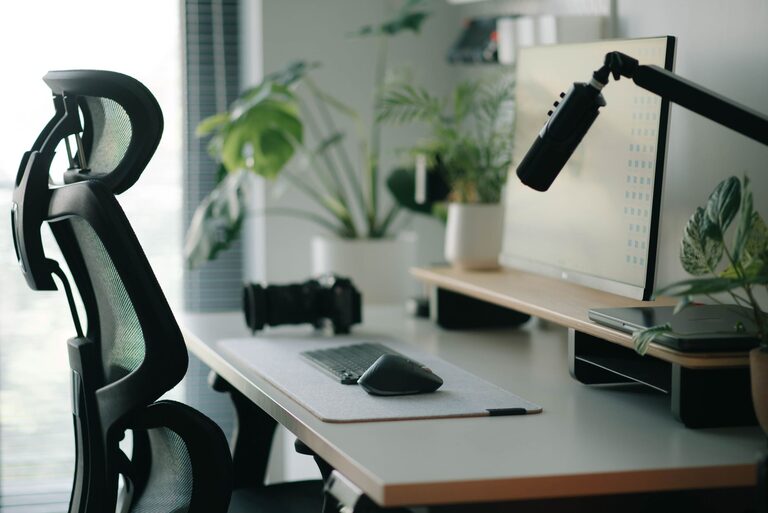

Creating a desk setup that supports both focus and comfort is key to staying productive and feeling good throughout your workday. Whether you work from home or in an office, the way your desk is arranged can make a big difference in your concentration and physical well-being. In this post, we’ll explore practical tips to design a workspace that helps you stay focused and comfortable.
Why Your Desk Setup Matters
A well-organized desk is more than just a tidy space. It influences how easily you can access tools, how your body feels during long hours of work, and even your mood. Poor posture or clutter can lead to discomfort and distractions, while a thoughtful setup encourages productivity and reduces fatigue.
Choosing the Right Desk and Chair
Ergonomic Chair
Invest in an ergonomic chair that supports the natural curve of your spine. Adjustable features like seat height, backrest tilt, and armrests allow you to customize the chair to your body shape and desk height. Good lumbar support helps prevent back pain, especially during extended sitting periods.
Desk Height
Your desk should be at a height where your forearms rest comfortably parallel to the floor when typing. Standard desk heights range from 28 to 30 inches, but an adjustable desk or monitor risers can help you fine-tune your workspace.
Consider a Standing Desk
Alternating between sitting and standing can reduce stiffness and improve circulation. If possible, use a sit-stand desk or a converter to change positions throughout the day.
Monitor Placement and Screen Settings
Eye Level Monitor
Position your monitor so that the top of the screen is at or slightly below eye level. This helps maintain a neutral neck position and prevents strain.
Viewing Distance
Sit about an arm’s length away from your monitor, usually around 20 to 30 inches. This distance reduces eye strain and allows you to see the screen clearly without leaning forward.
Screen Brightness and Blue Light
Adjust your screen brightness to match the ambient lighting in your room to avoid glare or a harsh display. Using blue light filters or night mode settings can also help reduce eye fatigue, especially in the evening.
Organizing Your Desk for Focus
Keep Essentials Within Reach
Arrange frequently used items like your keyboard, mouse, notepad, and pens within easy reach. This minimizes interruptions caused by searching for tools.
Declutter Your Space
A clutter-free desk is a clear mind. Store away non-essential items and use organizers or drawers to keep your space tidy.
Use Cable Management
Tidy cables can prevent distractions and create a cleaner look. Use clips, sleeves, or cable boxes to manage cords effectively.
Lighting Your Workspace
Natural Light
Whenever possible, place your desk near a window to take advantage of natural light. It boosts mood and energy levels.
Task Lighting
Add a desk lamp with adjustable brightness and direction. Proper lighting reduces eye strain and helps focus on detailed work.
Avoid Glare
Position your monitor perpendicular to windows or bright light sources to avoid screen glare.
Adding Comfort and Personal Touches
Ergonomic Accessories
Consider accessories like a wrist rest, footrest, or a keyboard tray to enhance comfort.
Plants and Decor
Small plants can improve air quality and add a calming element to your workspace. Personal photos or artwork can also make your desk inviting without becoming distracting.
Temperature and Air Quality
Keep your workspace at a comfortable temperature and ensure good air circulation to maintain alertness.
Establishing a Routine to Maintain Your Setup
Regular Tidying
Take a few minutes at the end of each day to tidy your desk. This habit maintains order and prepares you for the next work session.
Adjust as Needed
Your comfort needs may change over time. Don’t hesitate to rearrange or upgrade your setup to meet new requirements.
Take Breaks and Move
Complement your comfortable desk setup with regular breaks to stretch and move around. This supports both physical health and mental focus.
Conclusion
A thoughtfully arranged desk setup is a powerful tool for enhancing focus and comfort in your workday. By selecting ergonomic furniture, positioning your monitor properly, organizing your space efficiently, and adding personal touches, you can create a workspace that supports productivity and well-being. Remember, the best setup is one that adapts to your needs, so feel free to experiment and adjust until you find what works best for you.